SecuQR
QR Based Product Authenticity Verification System
Overview
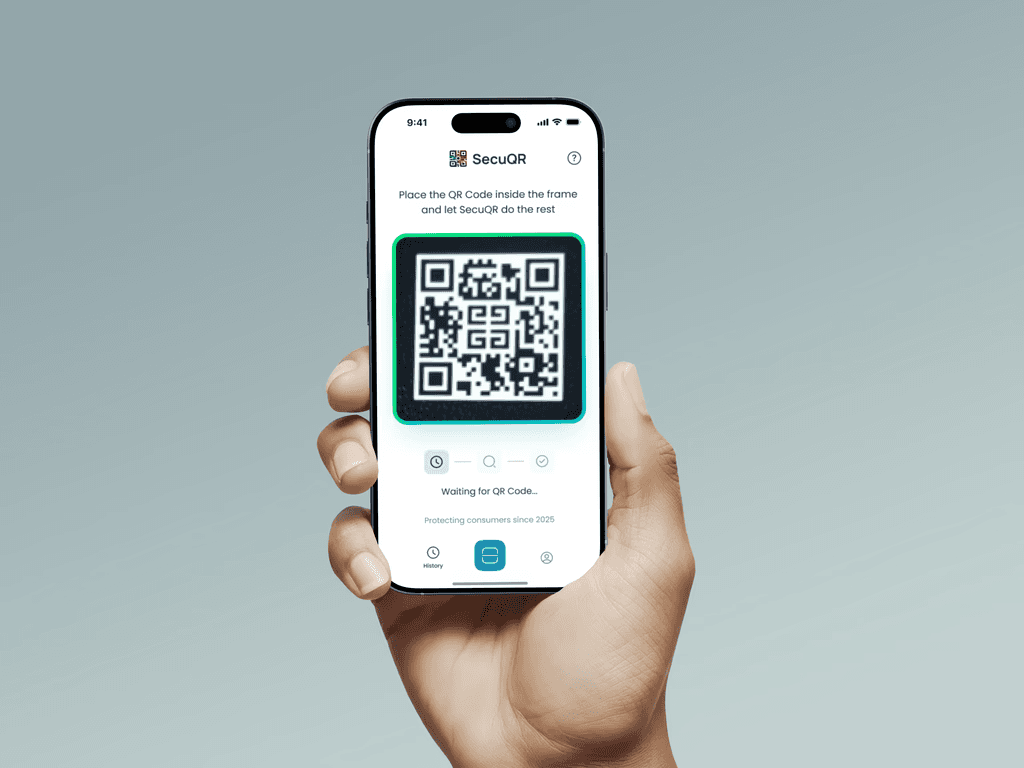
SecuQR is an end-to-end product authenticity verification system designed to help consumers instantly verify products and enable brands to detect and respond to counterfeit activity.
The system consists of a consumer-facing scan experience and a brand dashboard used for operational monitoring and decision-making.
Problem
Counterfeit products create failures at multiple levels:
Consumers cannot reliably verify authenticity at the point of purchase
Brands lack visibility into where and how counterfeits appear
Existing solutions are either too technical for consumers or too fragmented for brand teams
The product needed to balance clarity, trust, and operational usability across very different user types.
My Role
End-to-end product design across consumer app, dashboard, and website
Defined core user flows, states, and edge cases
Designed dashboard information architecture and data views
Worked closely with founders and developers to scope MVP features
Created pitch decks and demo assets to support validation and adoption
Research & Insights
User pain point: “Is this product genuine?”
Market gap: Current anti-fake apps are clunky or brand-specific.
Inspiration: Simplicity of payment apps + reliability of shipping trackers
Target user: End-consumers, luxury shoppers, manufacturers
I mapped the emotions users go through confusion, doubt, relief and crafted UI microstates to support each of them clearly.
Users
Primary users
Consumers verifying product authenticity through QR scan
Secondary users
Brand teams onboarding products and QR batches
Operations teams monitoring scan activity and risk signals
Design Language
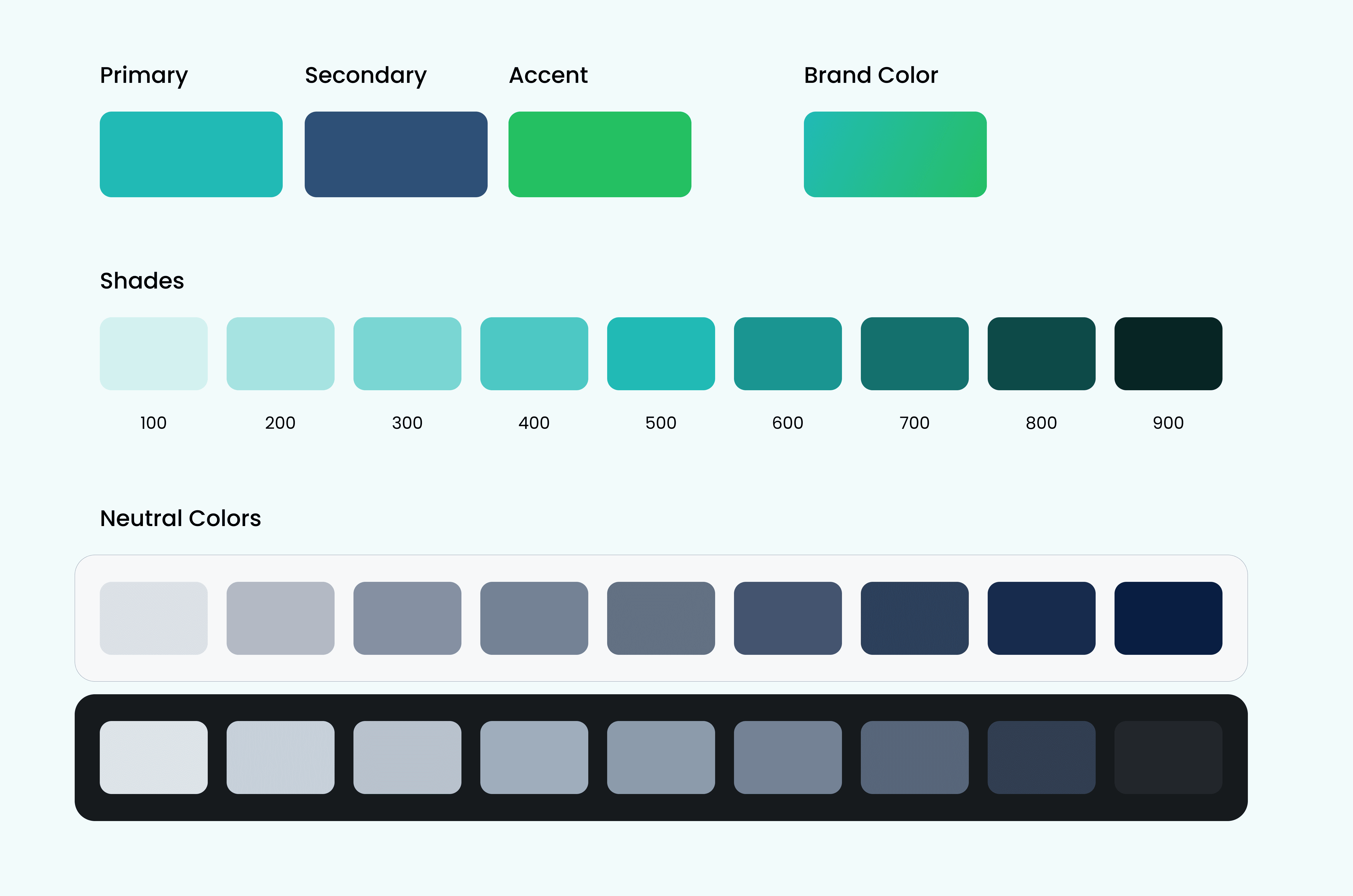
SecuQR’s visual identity draws from a modern color system and precise typographic pairing that reflect the brand’s core values: security, clarity, and technological trust.
Color Palette – Clean, Secure & Scalable:
Teal (#17BFBF): Freshness, trust, and digital clarity
Navy Blue (#284B76): Depth, reliability, and professionalism
Bright Green (#2BC64D): Action, verification, and success
Neutral White (#FFFFFF): Clean space and legibility across UI and print
Typography – Functional & Modern:
General Sans: A geometric sans-serif with subtle warmth, used for headings, logos, and hero sections
Inter: A clean, screen-optimized font ideal for body content, labels, and UI components
Iconography – Minimal & Meaningful:
Simple line icons, rounded cards, and spacious layouts for clarity and ease of use across devices.
Pitch Decks
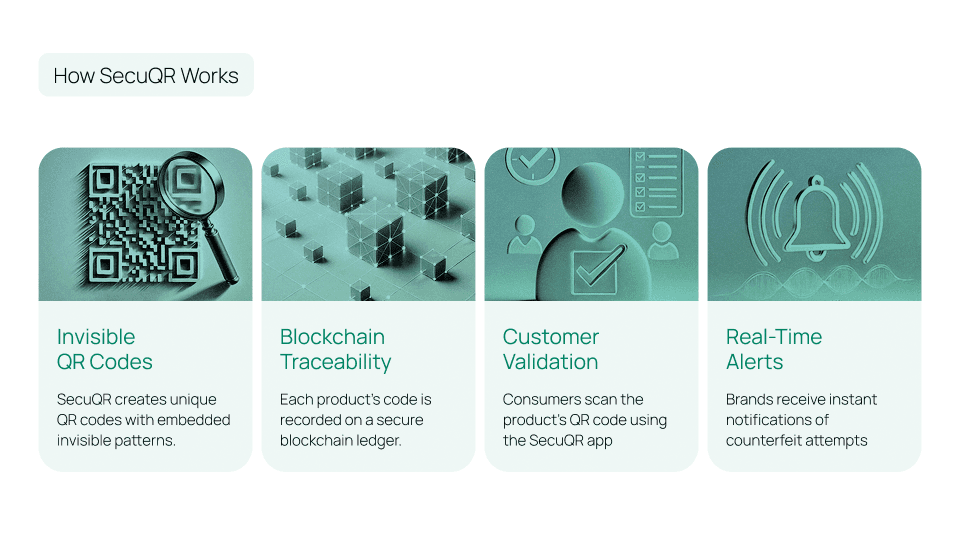
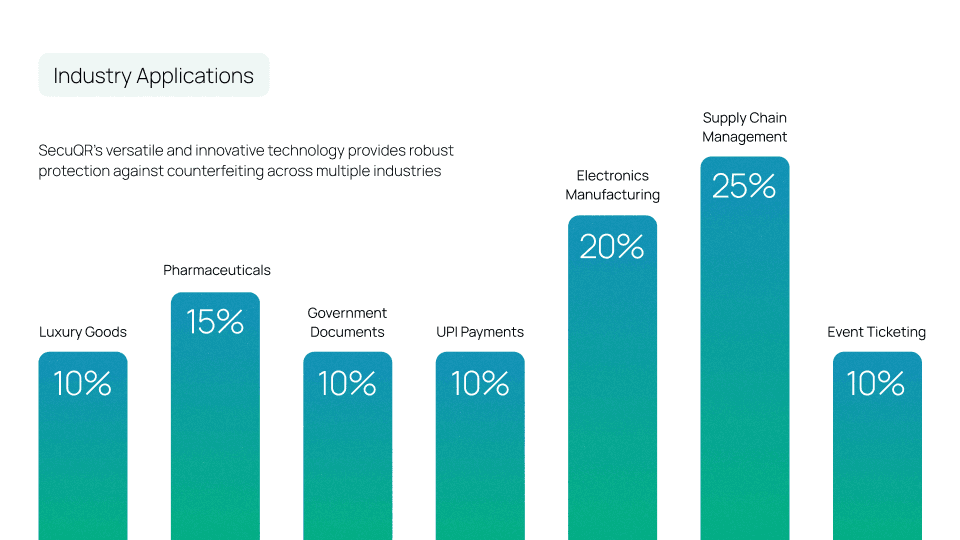
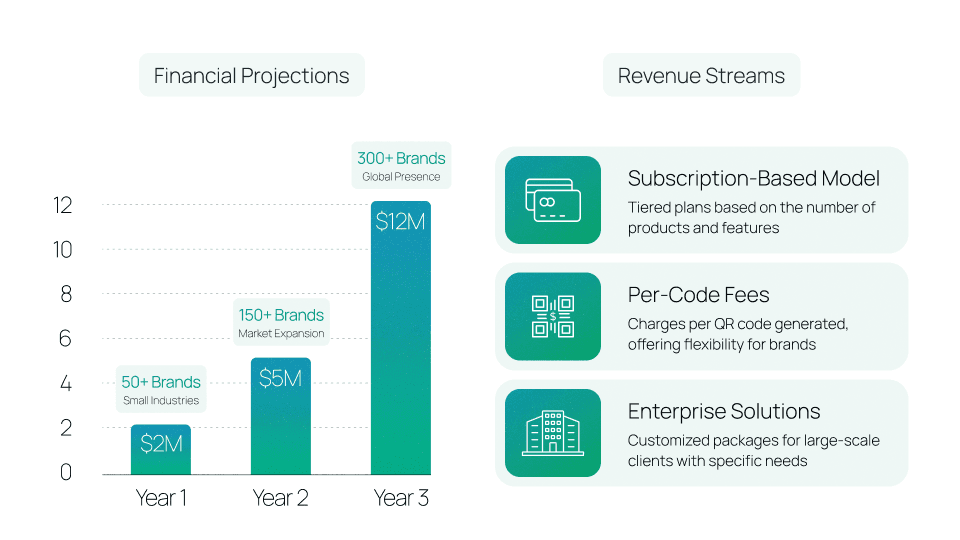
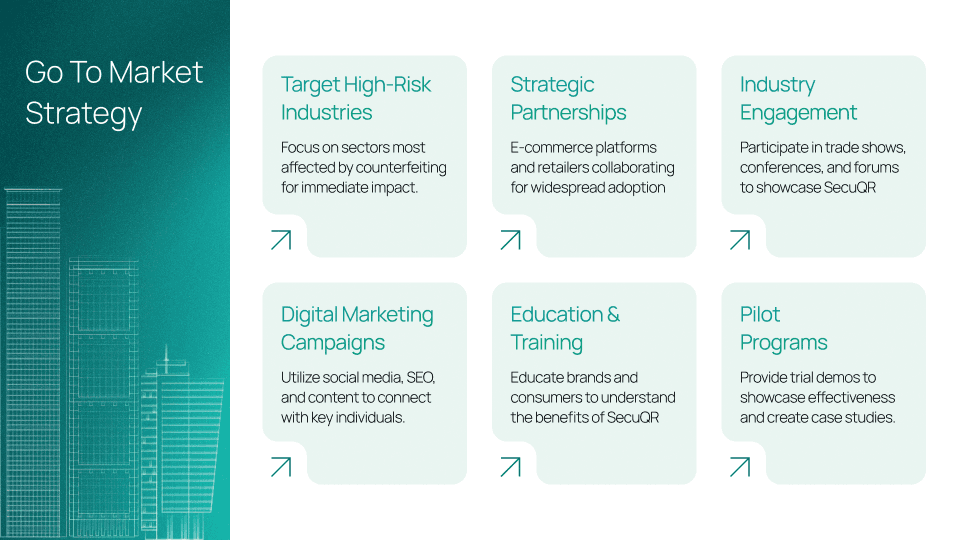
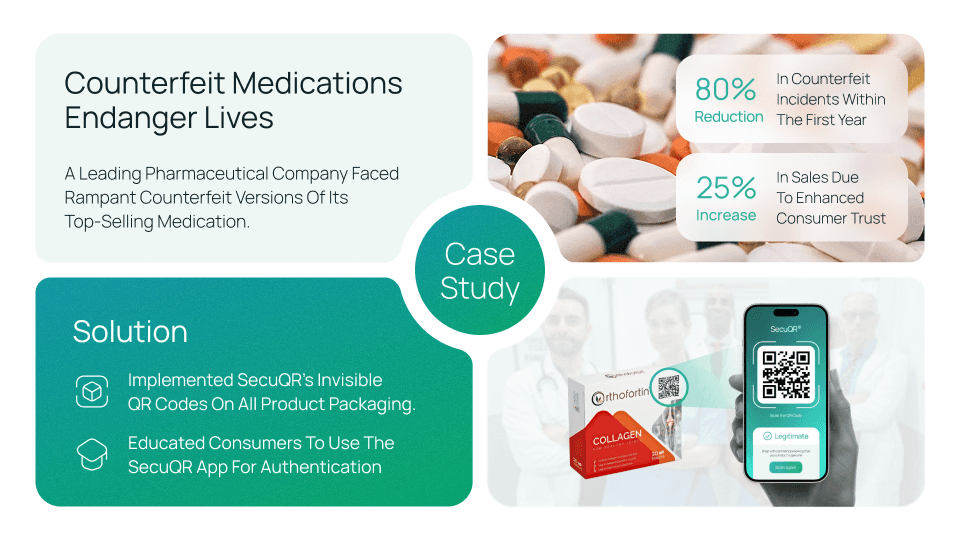
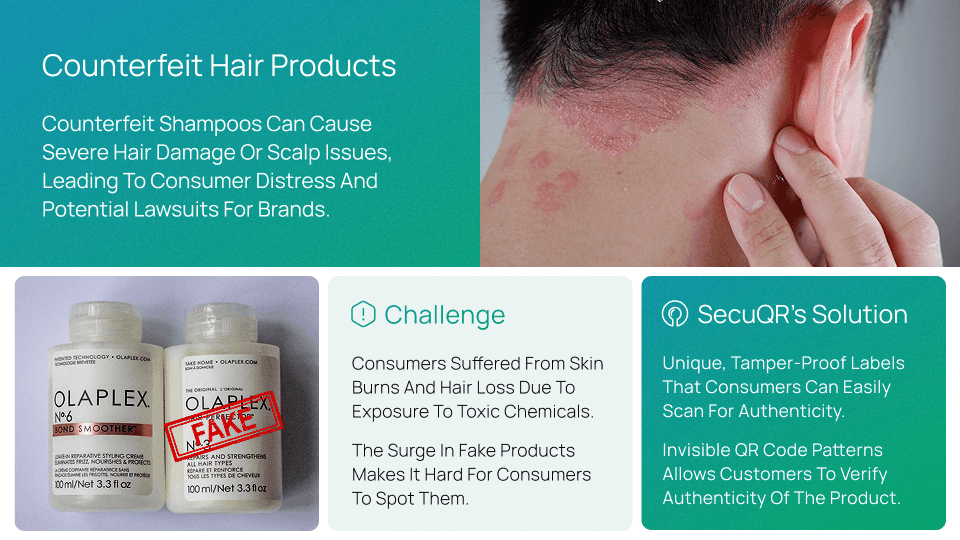
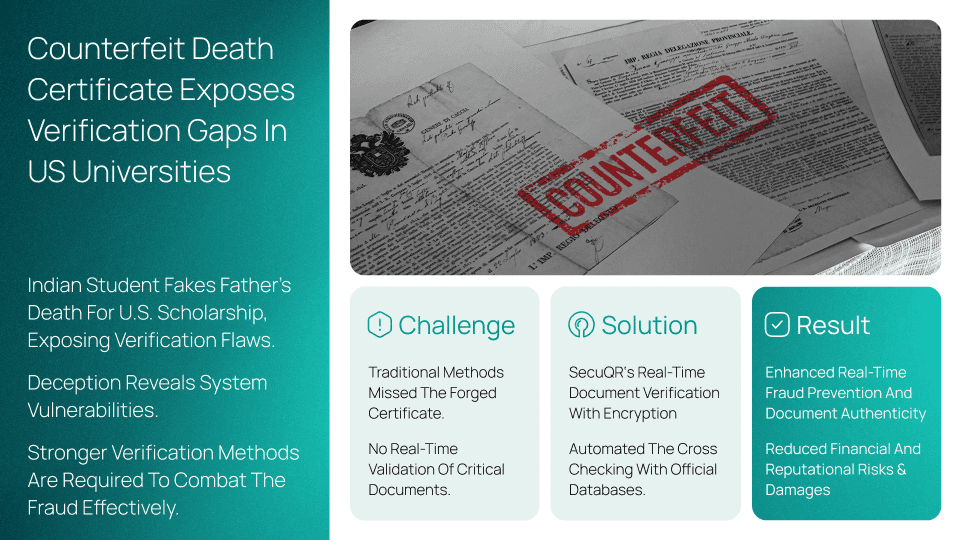
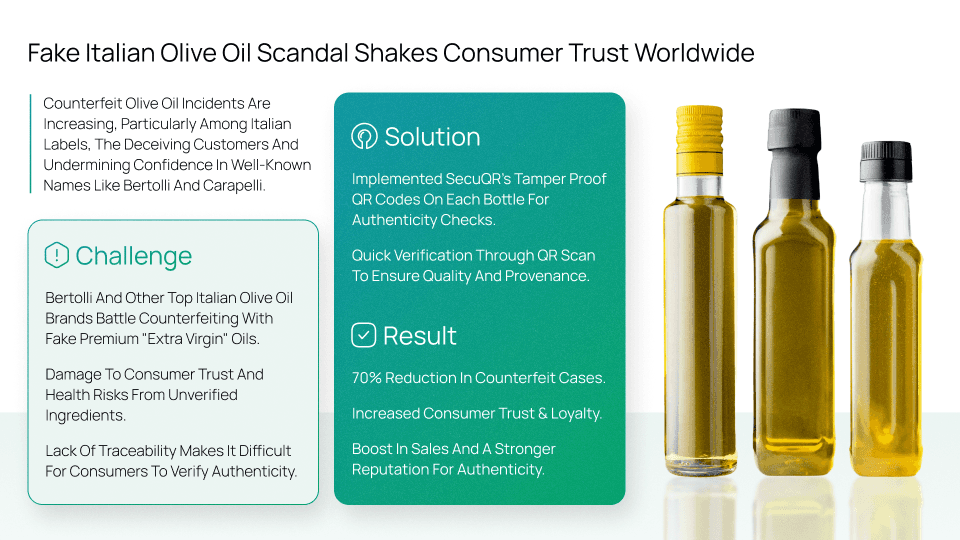
Positioning assets built from real product flows.
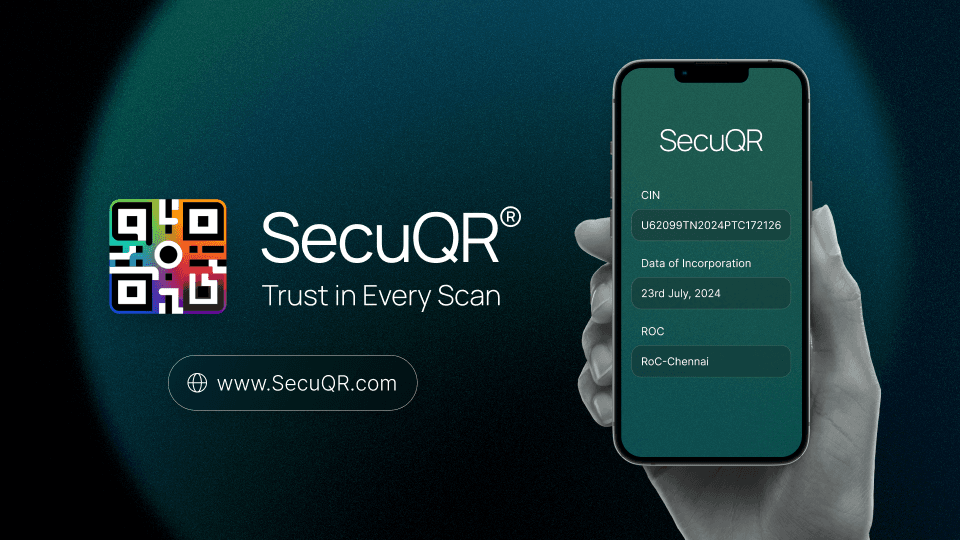
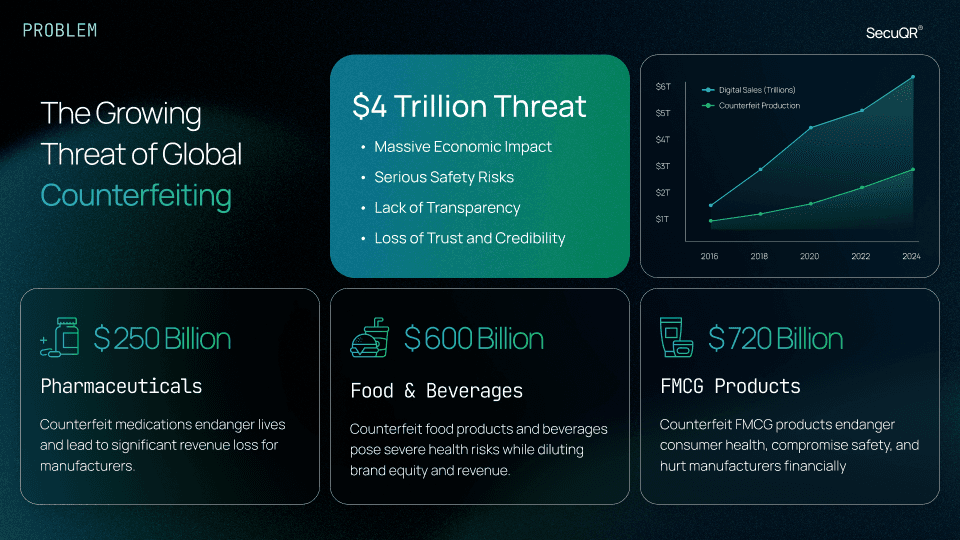
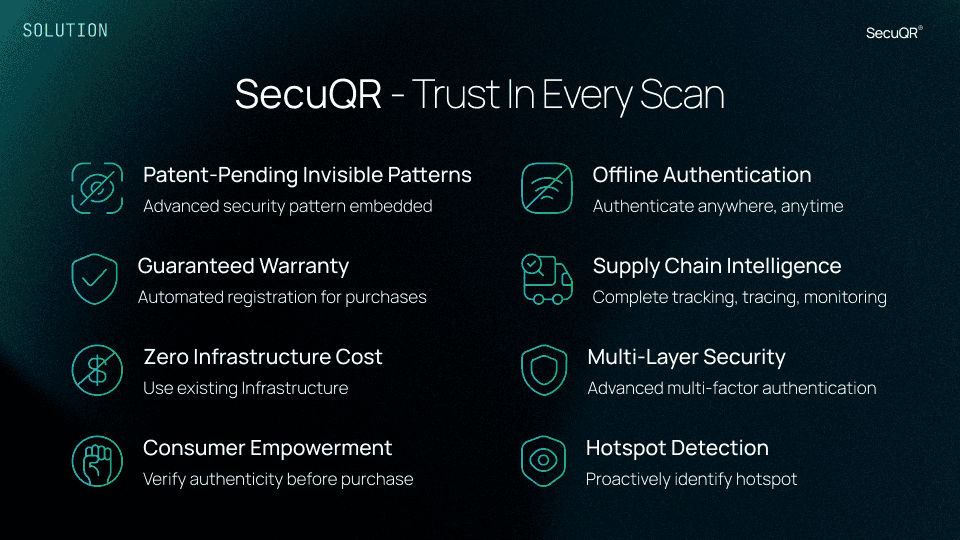
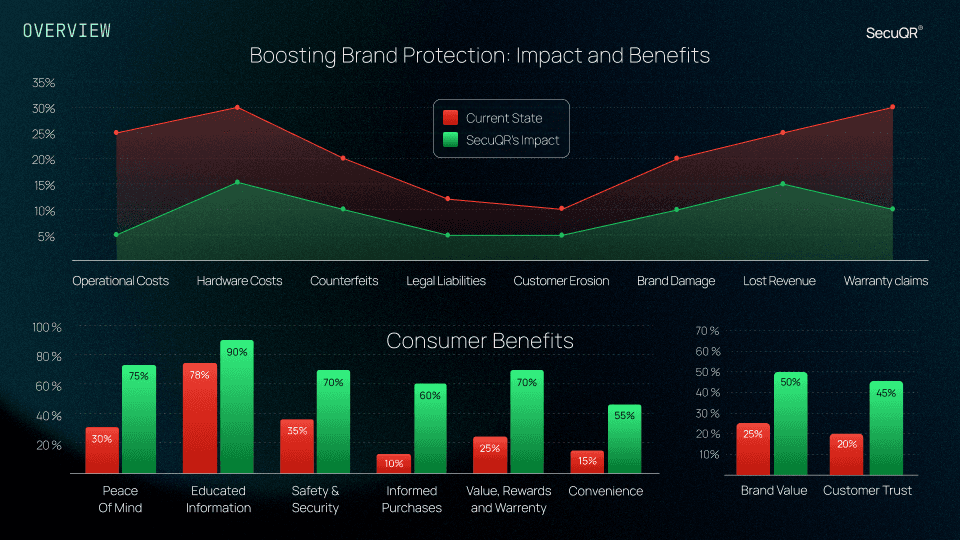
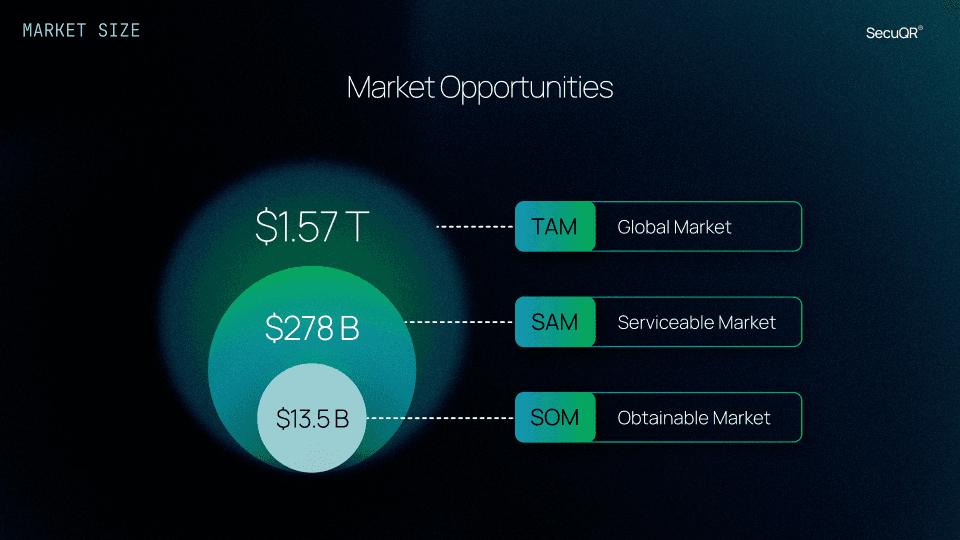
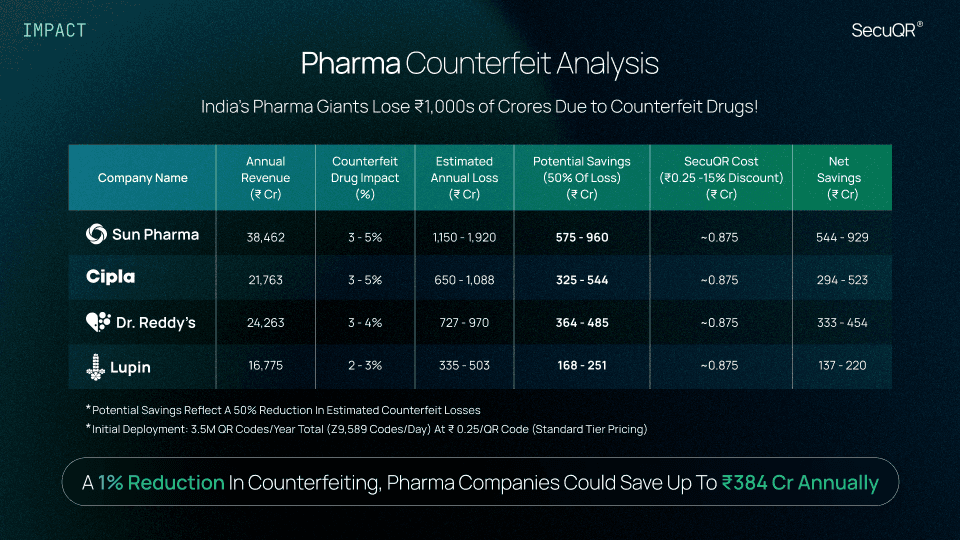
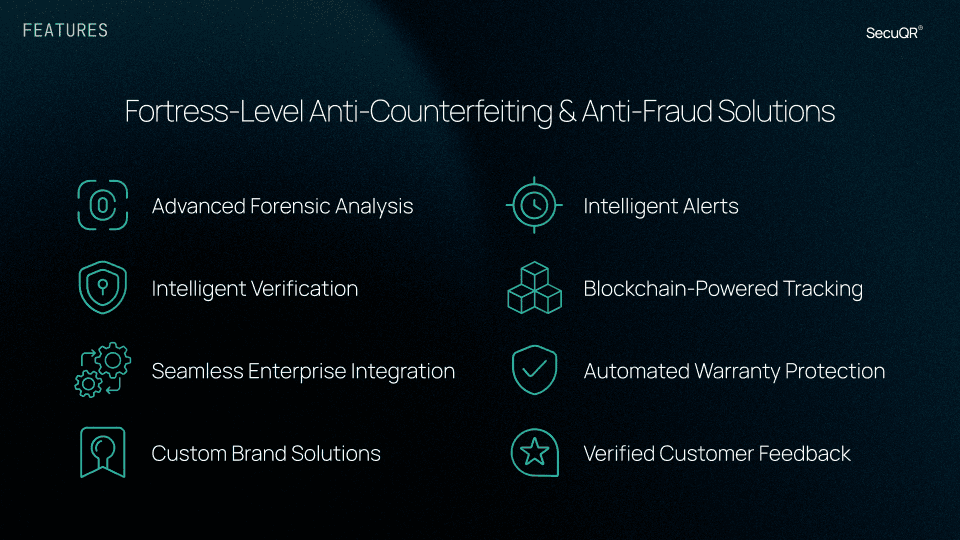
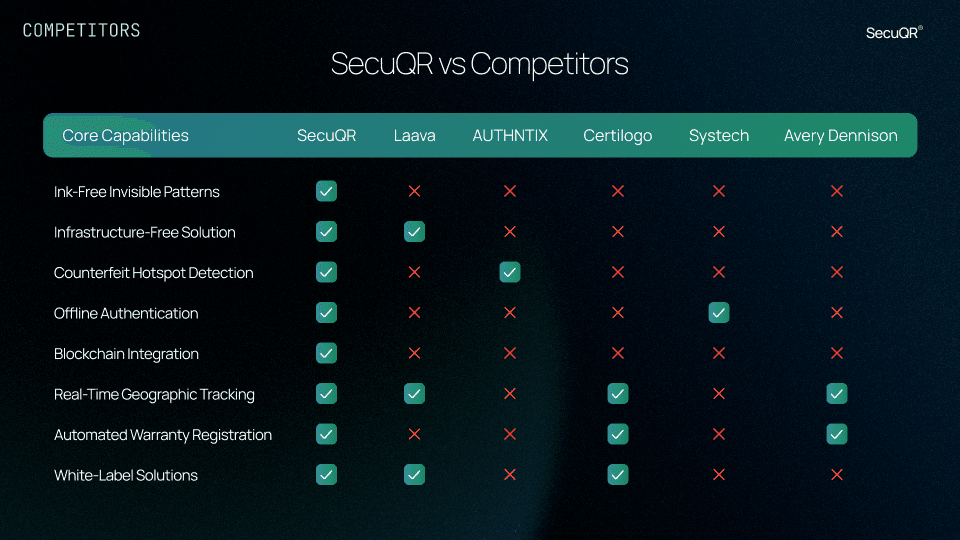
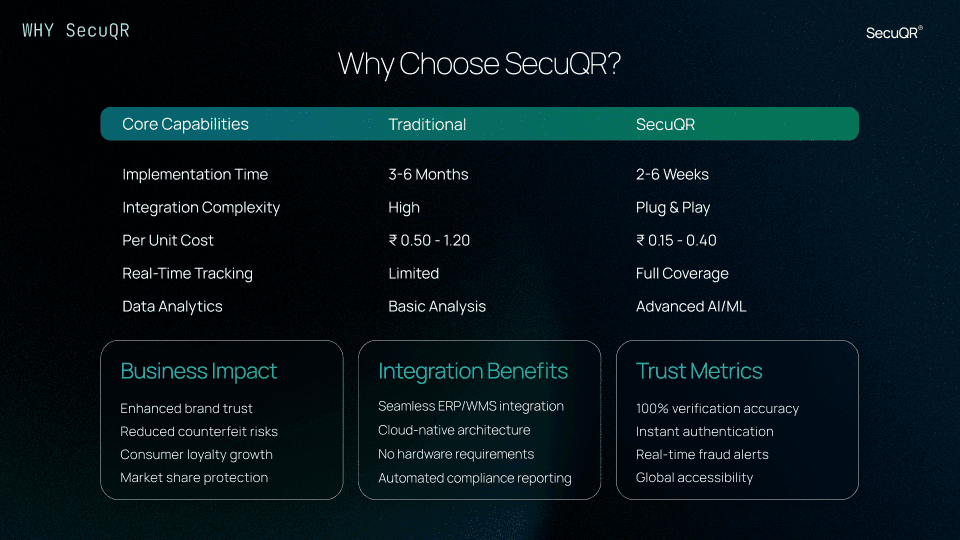
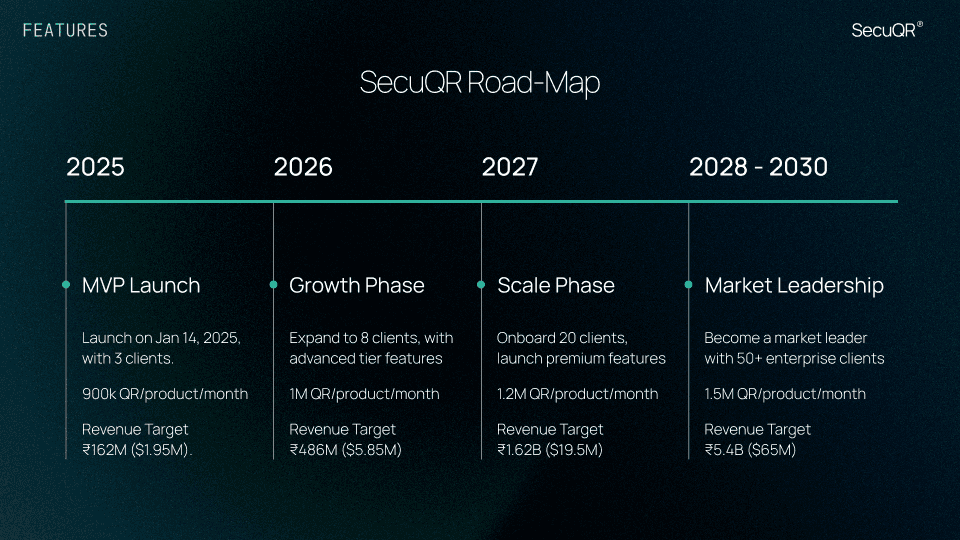
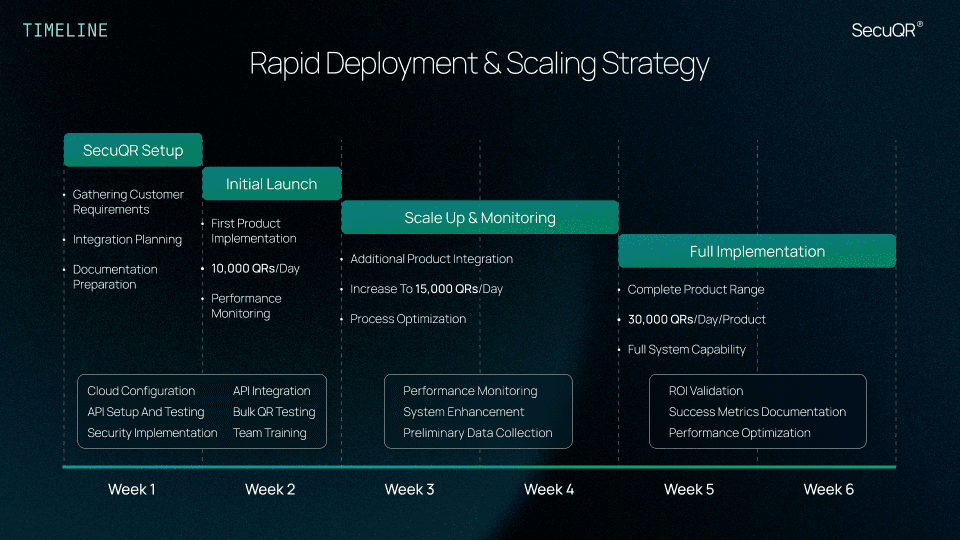
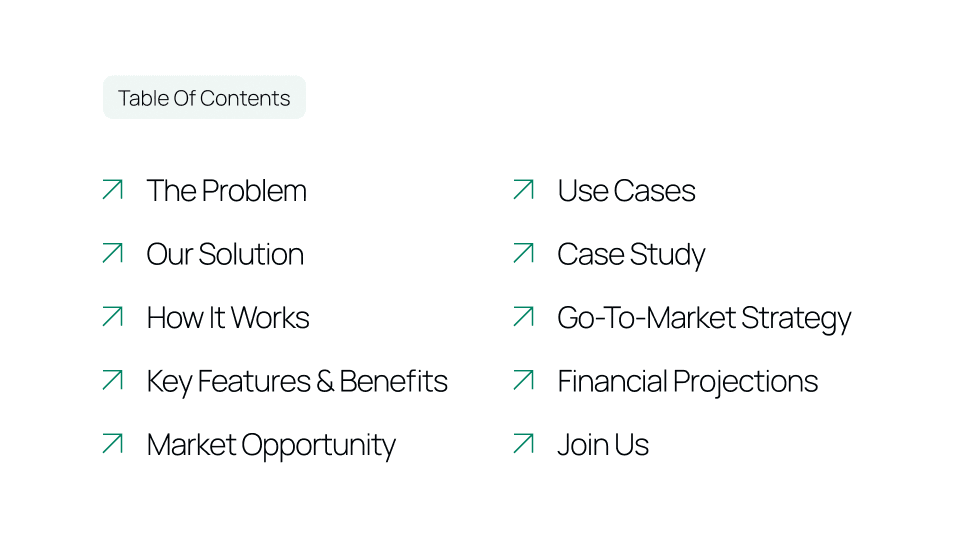
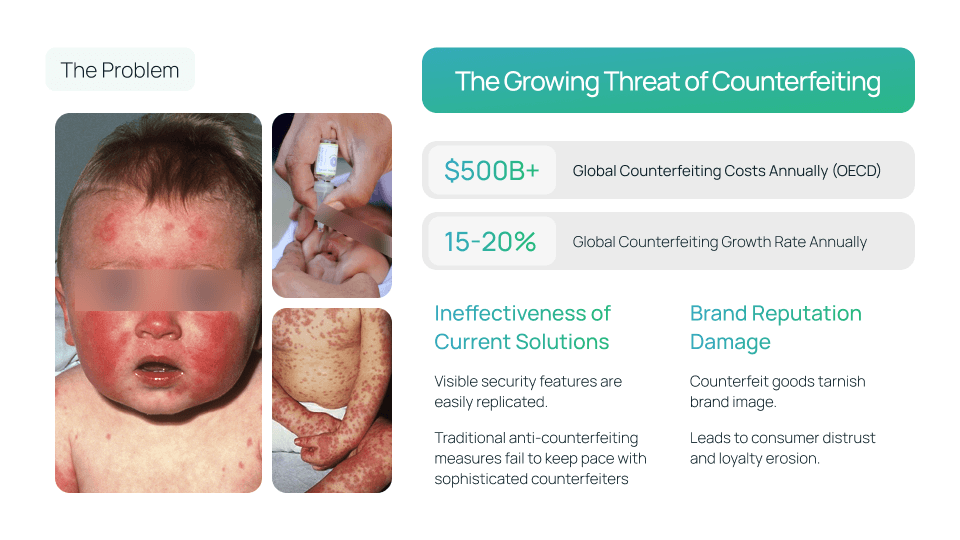
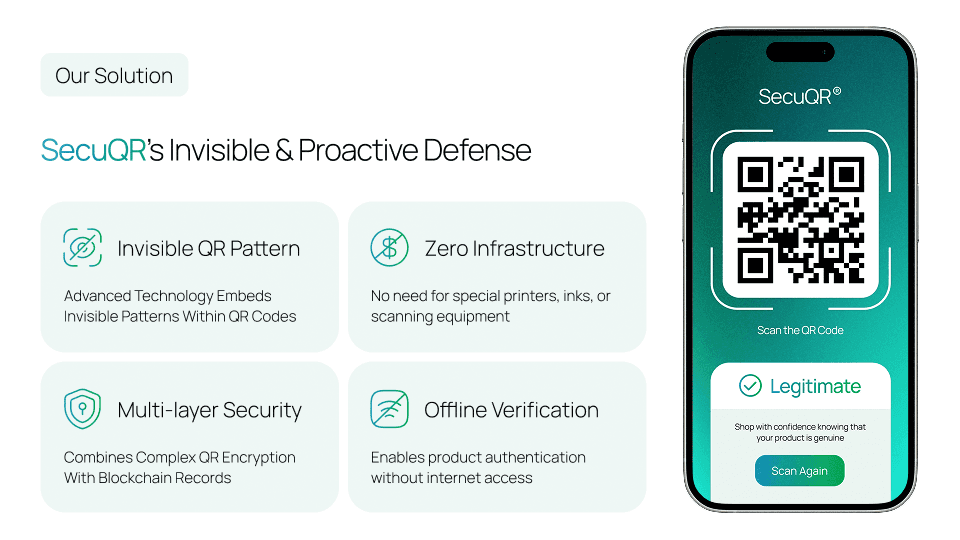
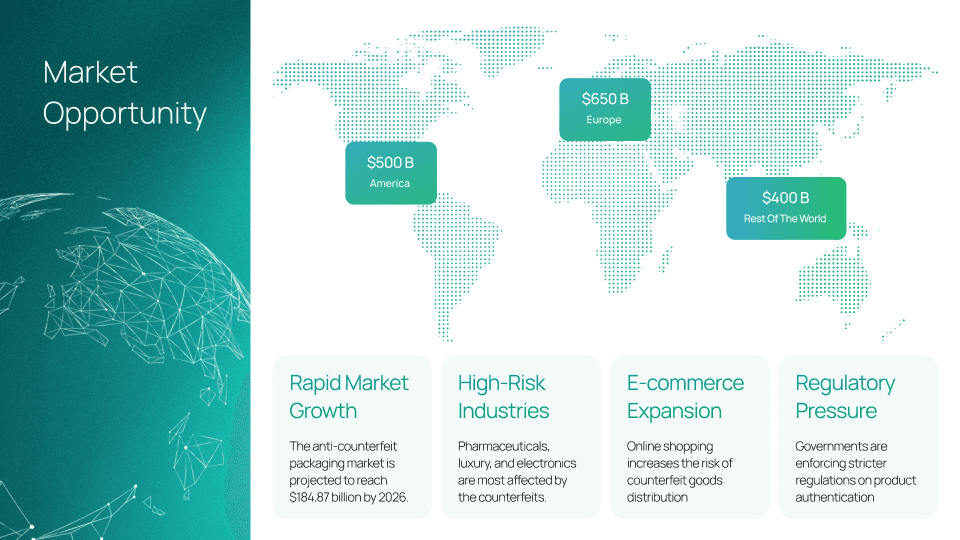
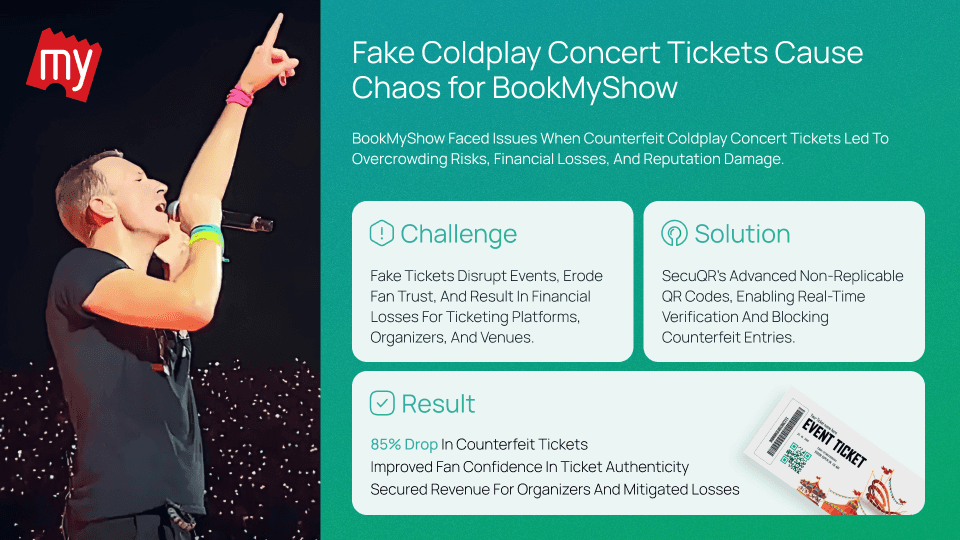
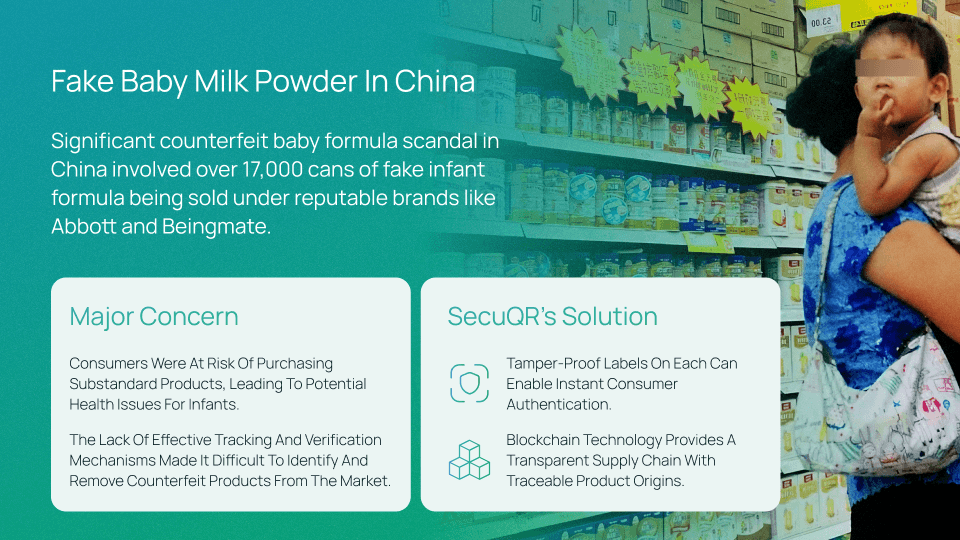
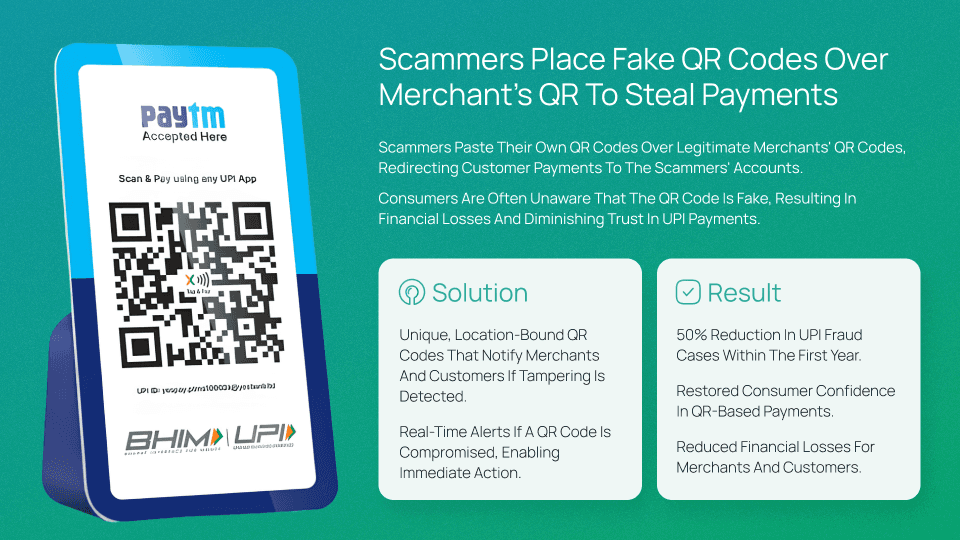
Investor Pitch Deck
Created to communicate the system clearly to non-technical stakeholders.
Structured narrative from problem → system → roadmap
Used product flows and dashboards to explain the platform
Helped align stakeholders on scope and direction
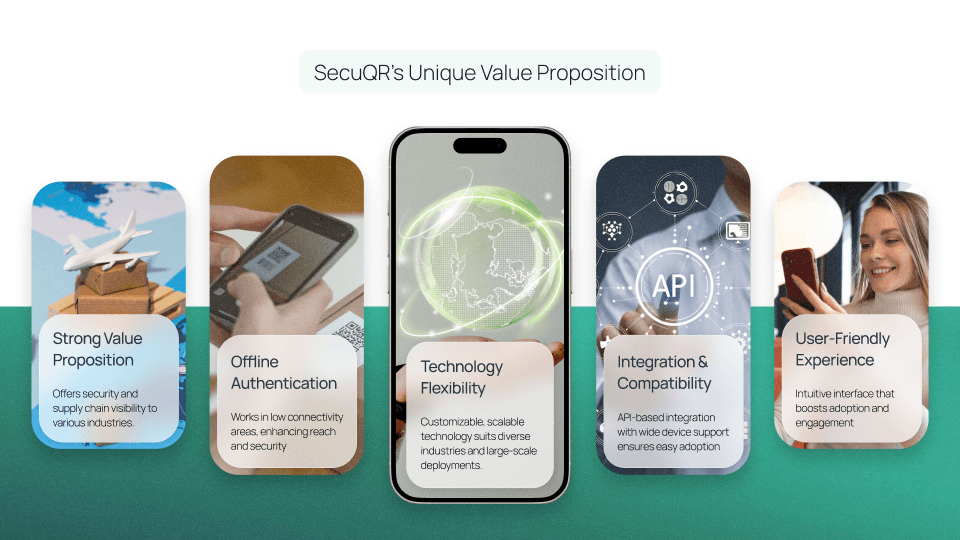
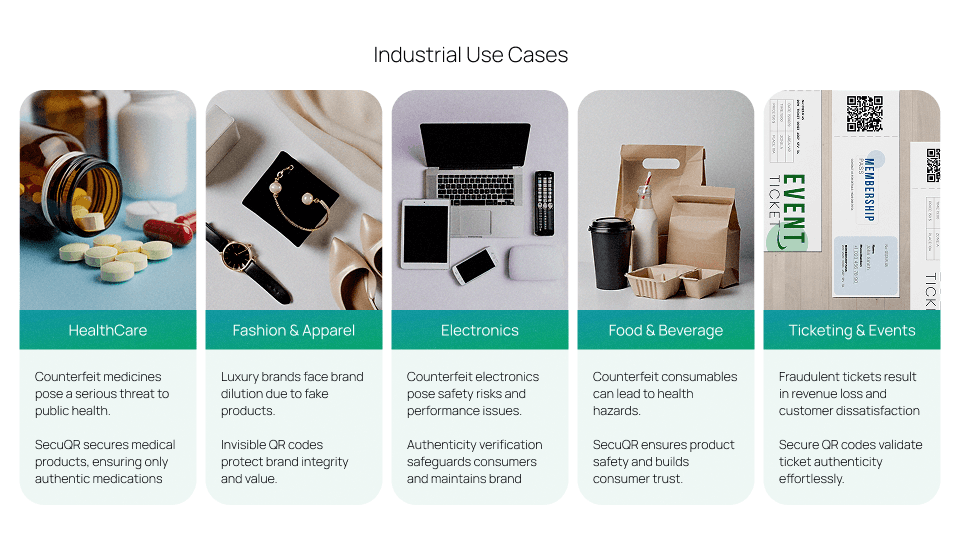
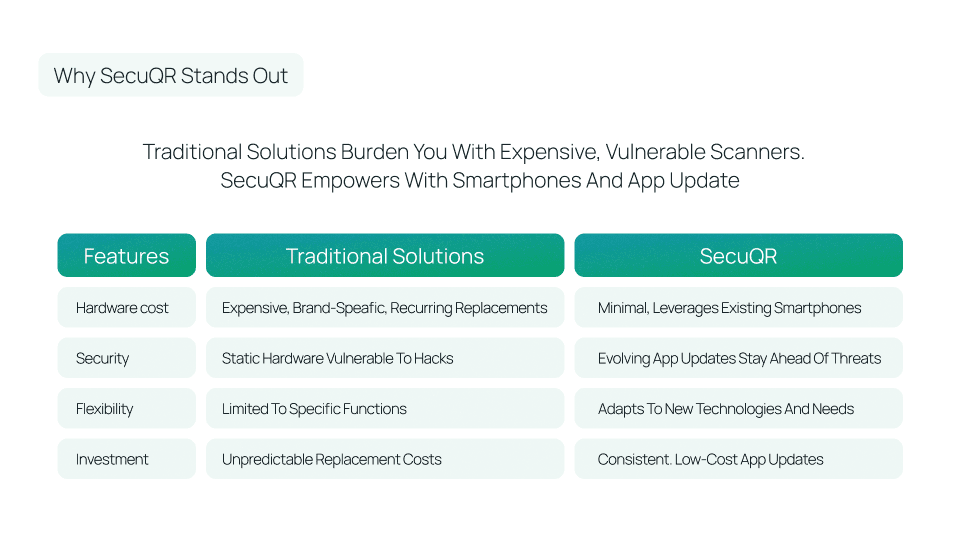
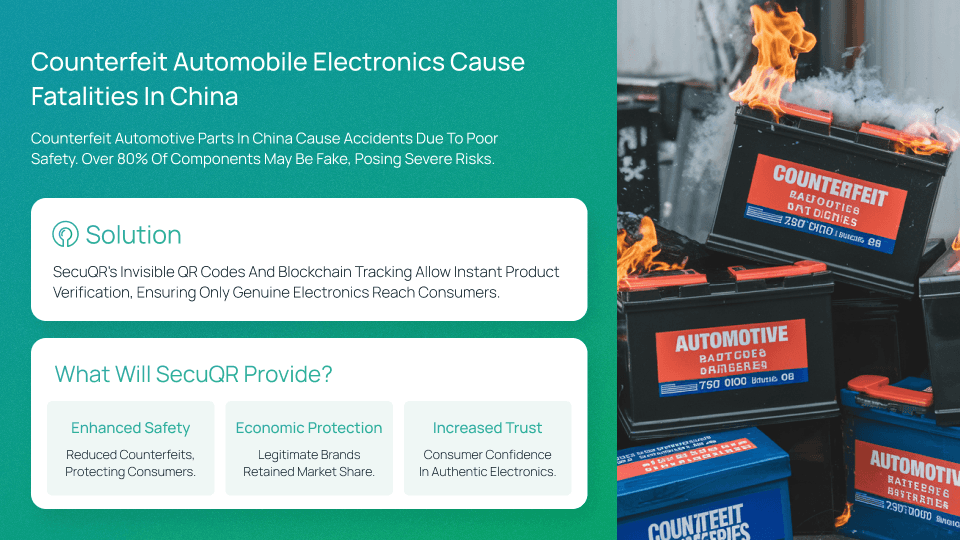
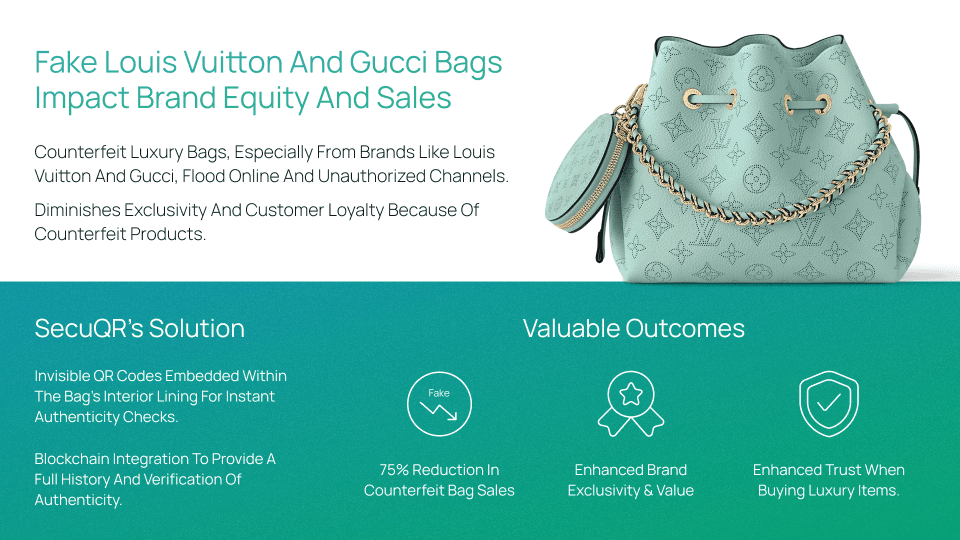
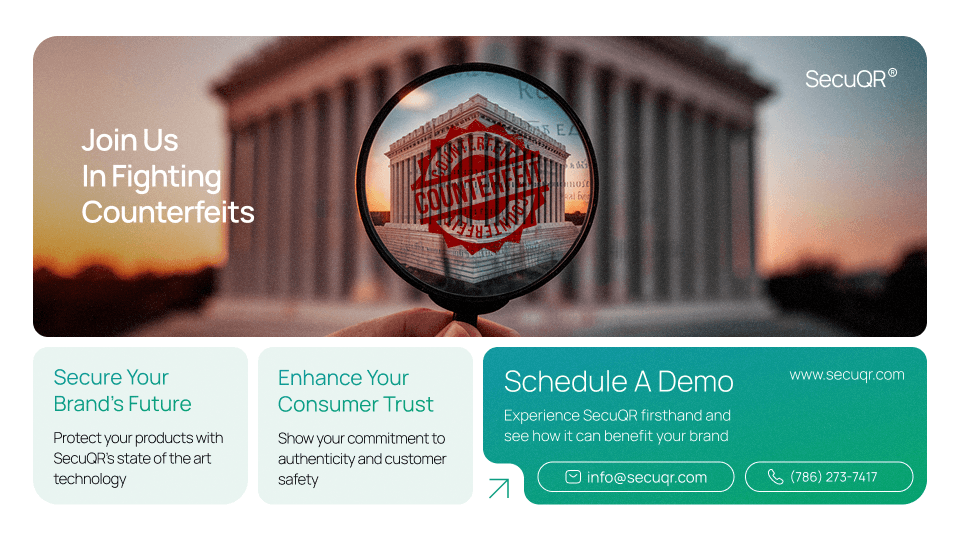
Sales Deck
Designed to support demos and discovery calls.
Feature-to-benefit mapping
Workflow visuals for quick explanation
Objection-handling slides grounded in product behavior


Demo Video
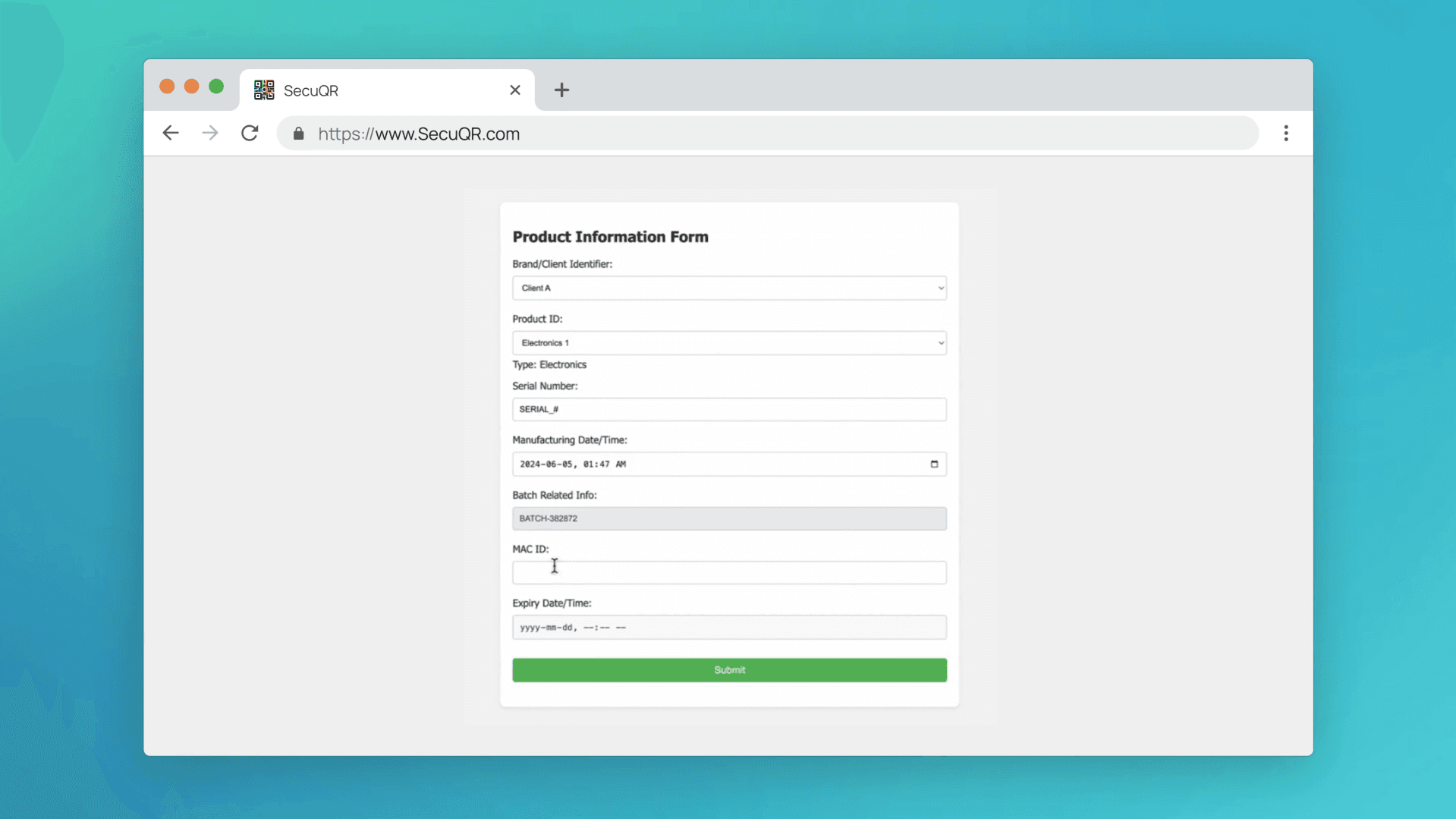
A guided walkthrough of core flows and real product

App Experience
Trust starts here: instant verification with clear states.
Consumer-facing verification flow
The consumer app was designed for clarity at the moment of scan, where trust and speed matter most.
Key design considerations
Verification outcome must be understood within seconds
Every scan result needs a clear next step
Error and edge states are more important than the happy path
Core flows
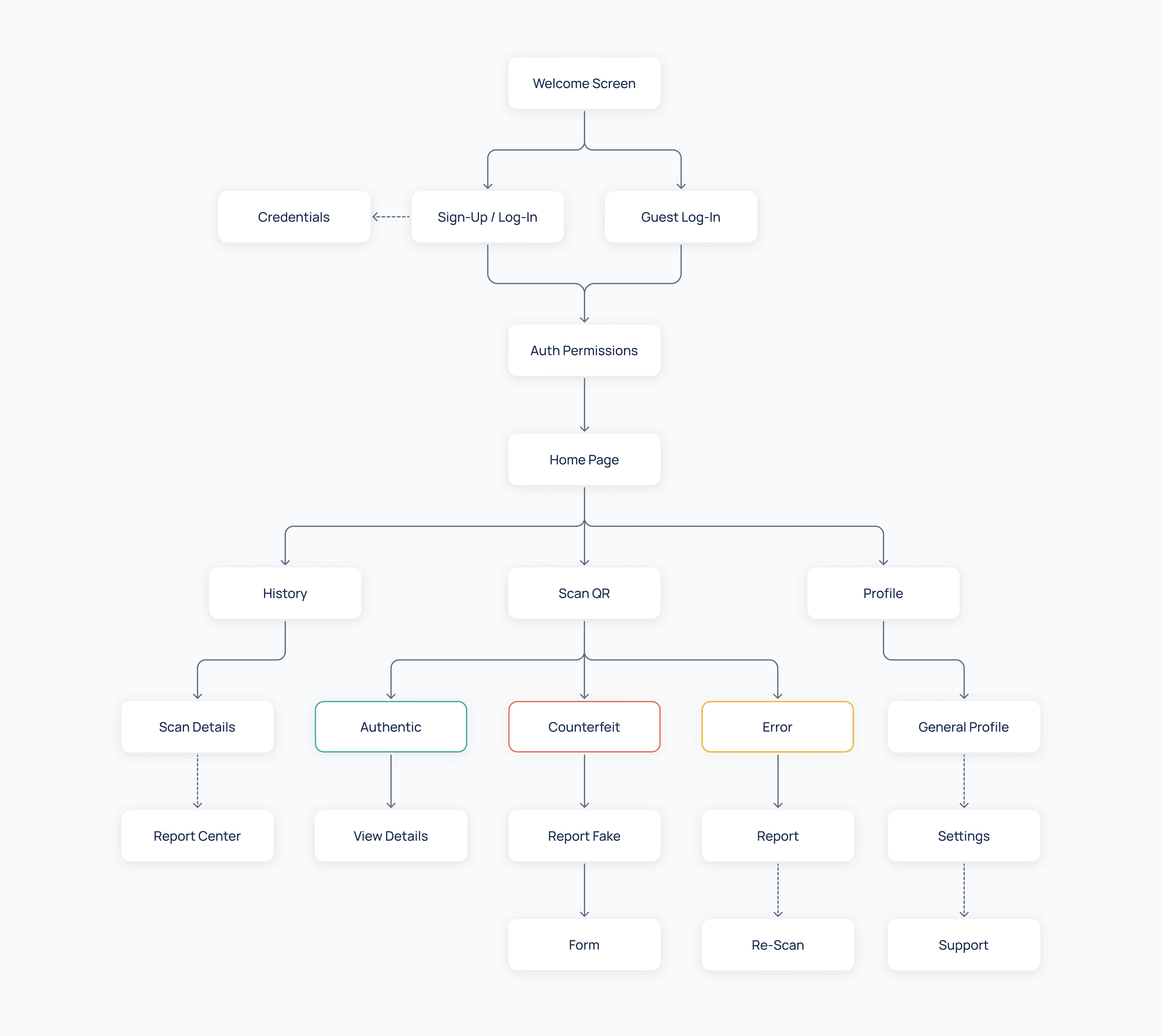
Scan QR → verification result
Success, invalid, duplicate, expired, and suspicious states
Clear messaging with retry or guidance actions
Decisions
Used strong visual differentiation between valid and invalid states
Prioritized binary outcomes over ambiguous messaging
Designed error states first to reduce confusion and mistrust
Mobile App User Flow
Key Features & Highlights
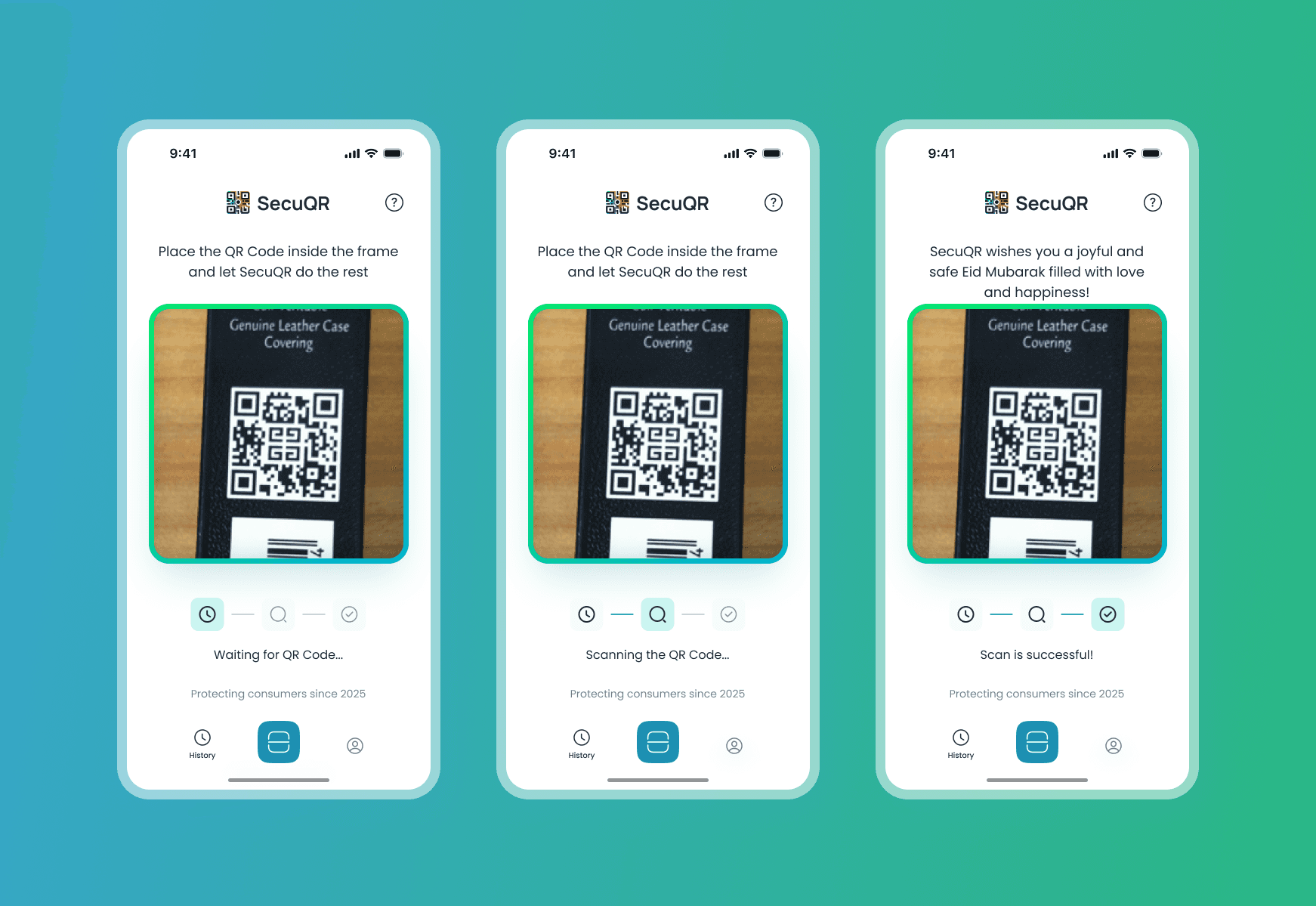
1. Real-Time QR Scan
Auto-detects and reads QR codes
Progress state animation with icons (waiting > scanning > verified)
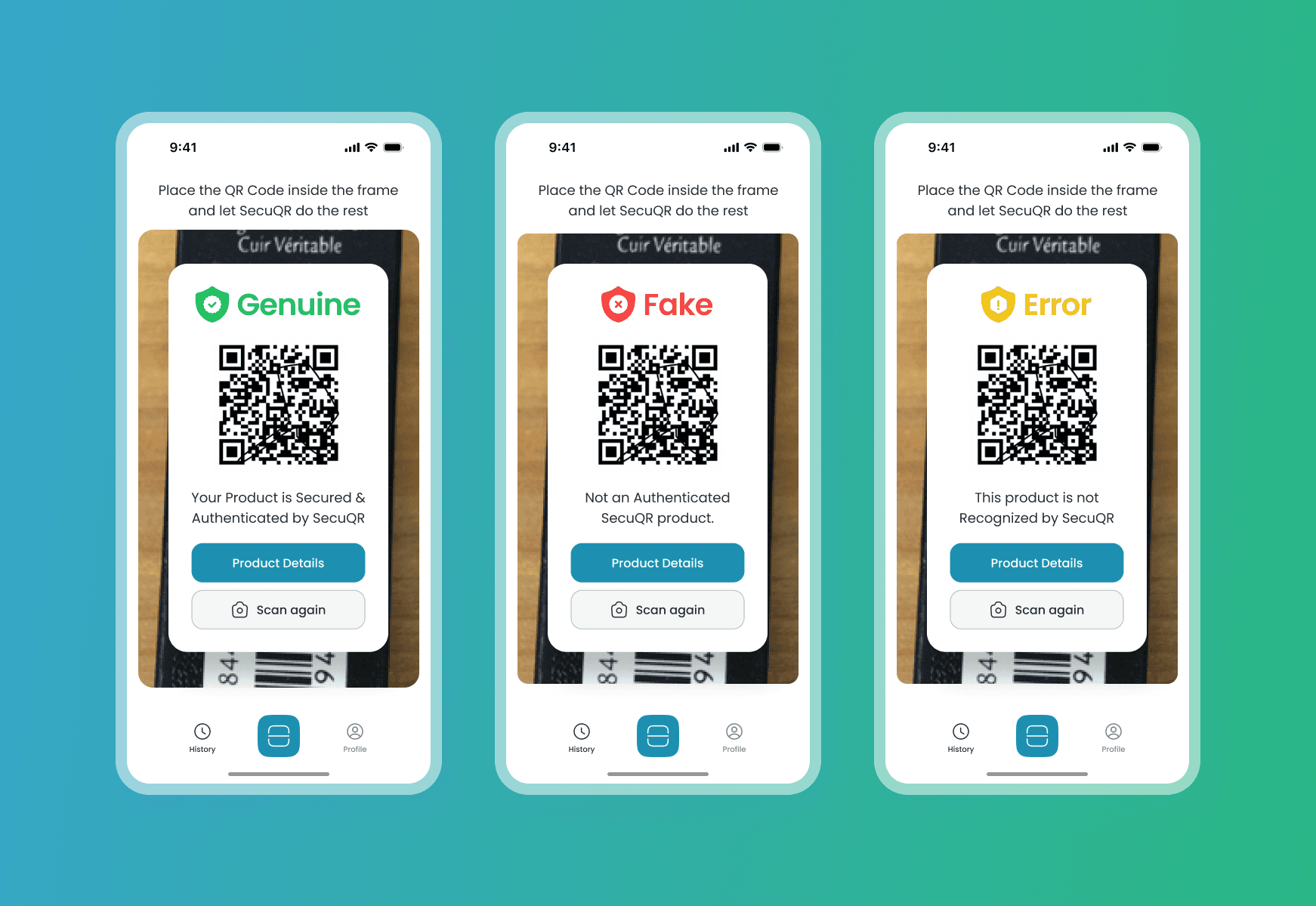
2. Authenticity Status
Genuine: Green feedback with shield icon
Fake: Red alert with option to report
Error/Unrecognized: Yellow warning with retry path
3. Scan History & Profiles
All scans stored locally with timestamps
Filter by status and access past product data
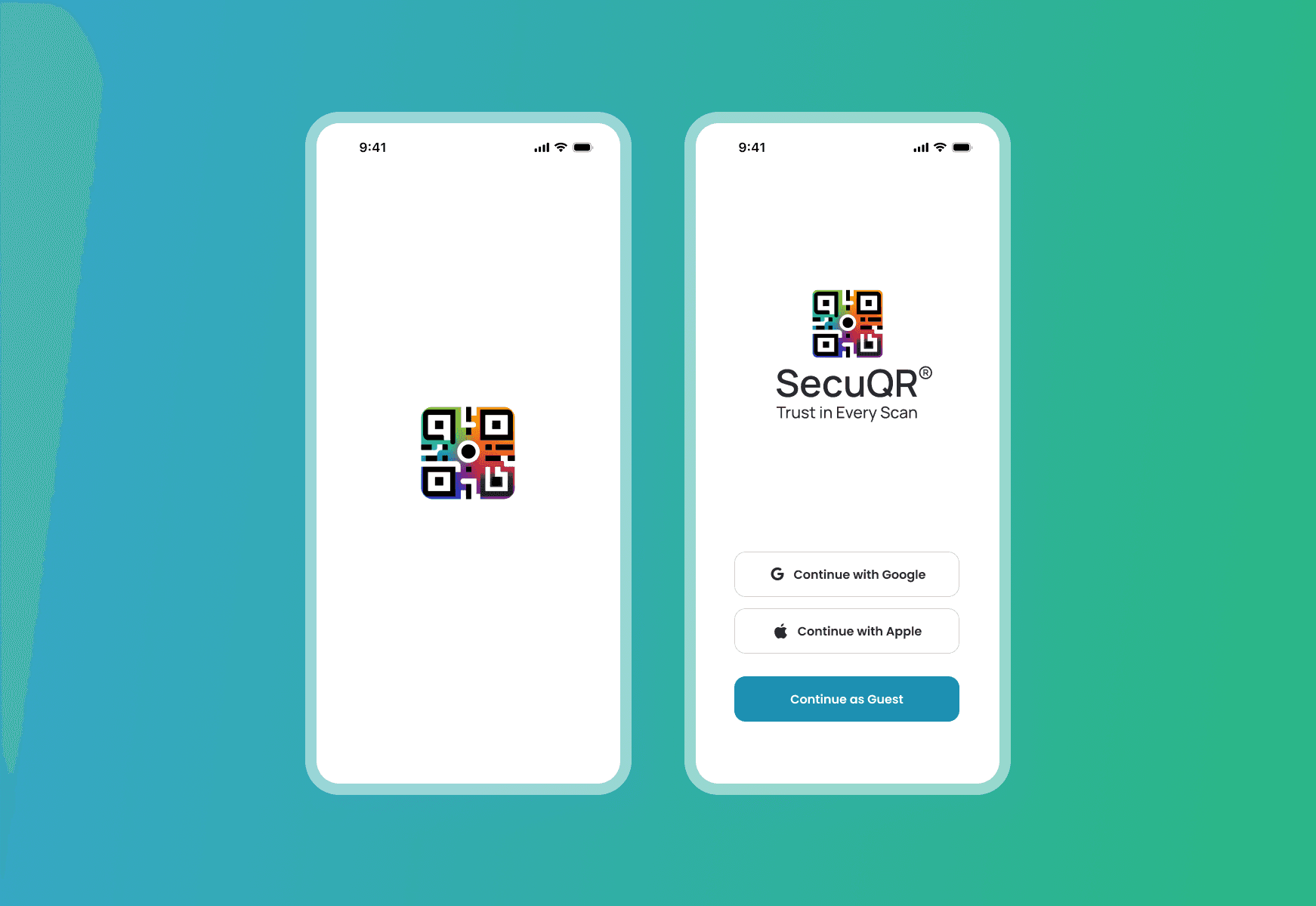
4. Guest Mode + Login
No barrier to entry; works right away
Optionally sign in to save data and preferences
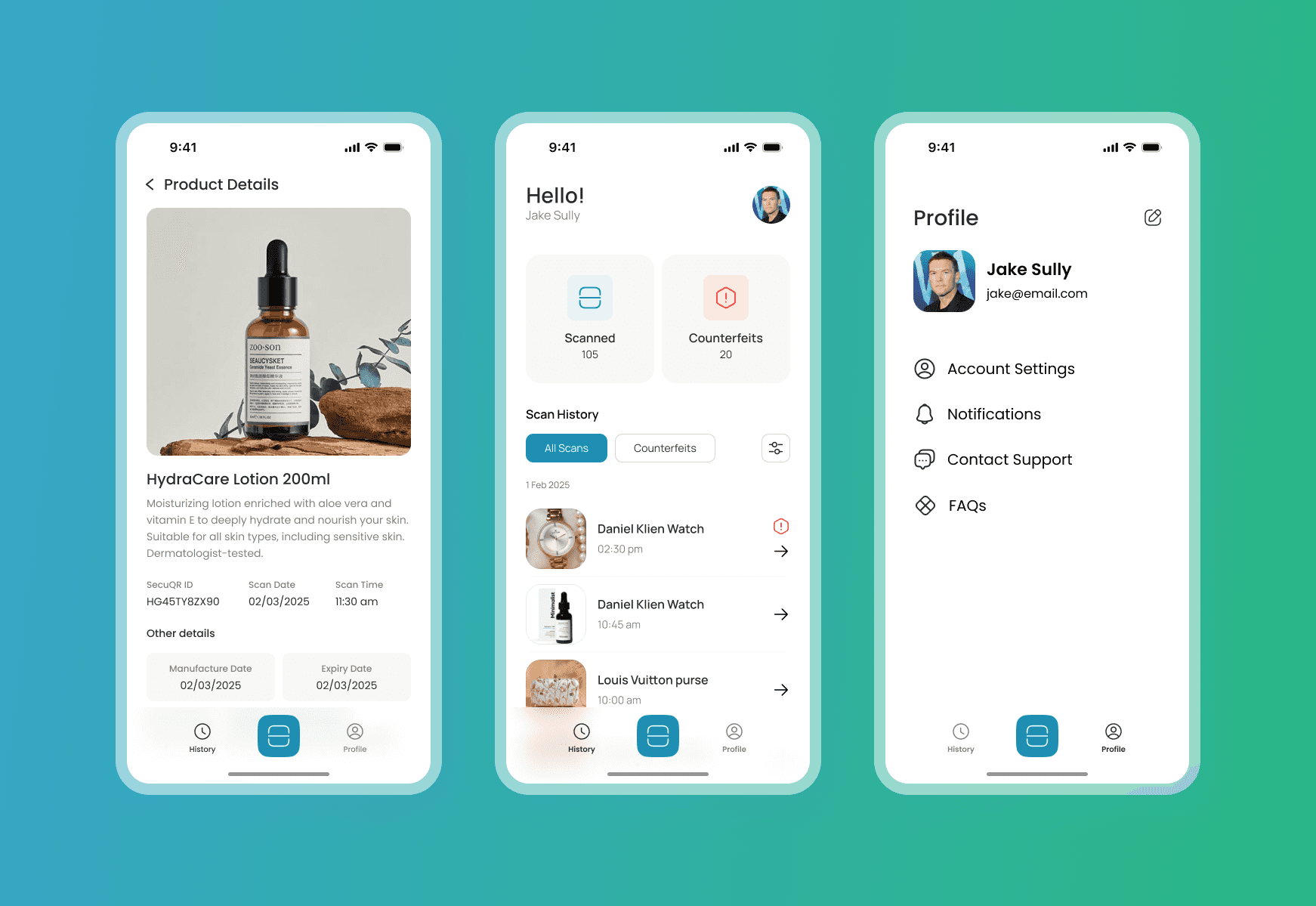
Onboarding
Home (Scan QR)
Verification Outcome
Details, History & Profile
Admin Dashboard
Where brands operate: visibility, control, and risk signals
Operational control and visibility
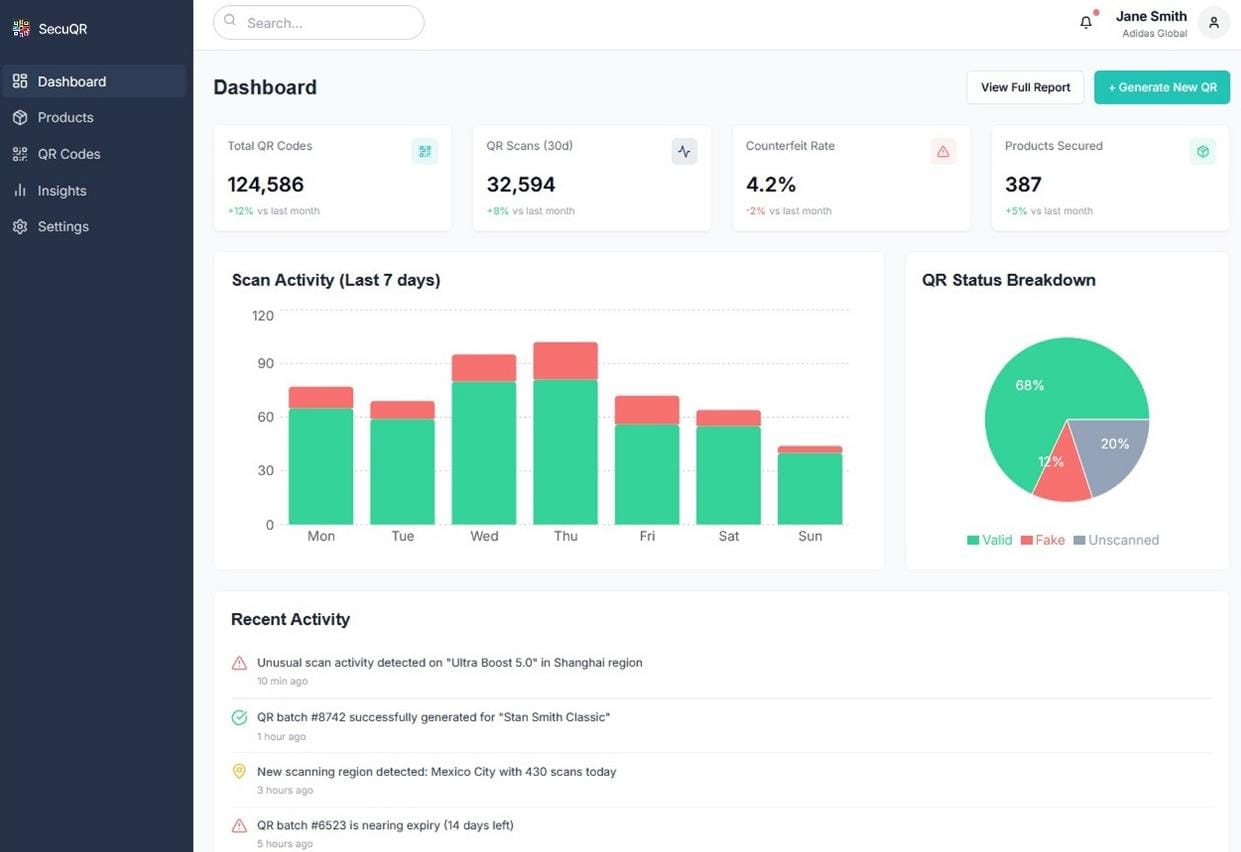
The dashboard is where brands manage products, QR batches, and scan activity.
Key goals
Make onboarding products and QR codes straightforward
Surface meaningful signals instead of vanity metrics
Support operational decisions, not just reporting
Core modules
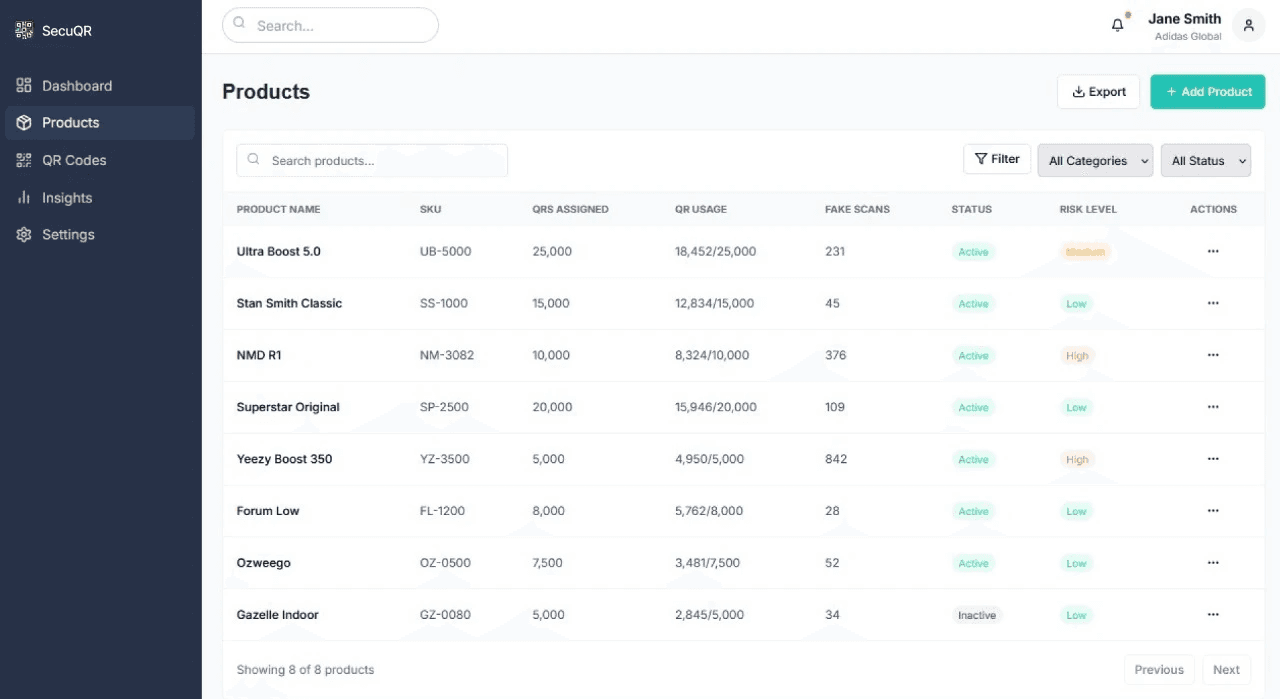
Product management and SKU mapping
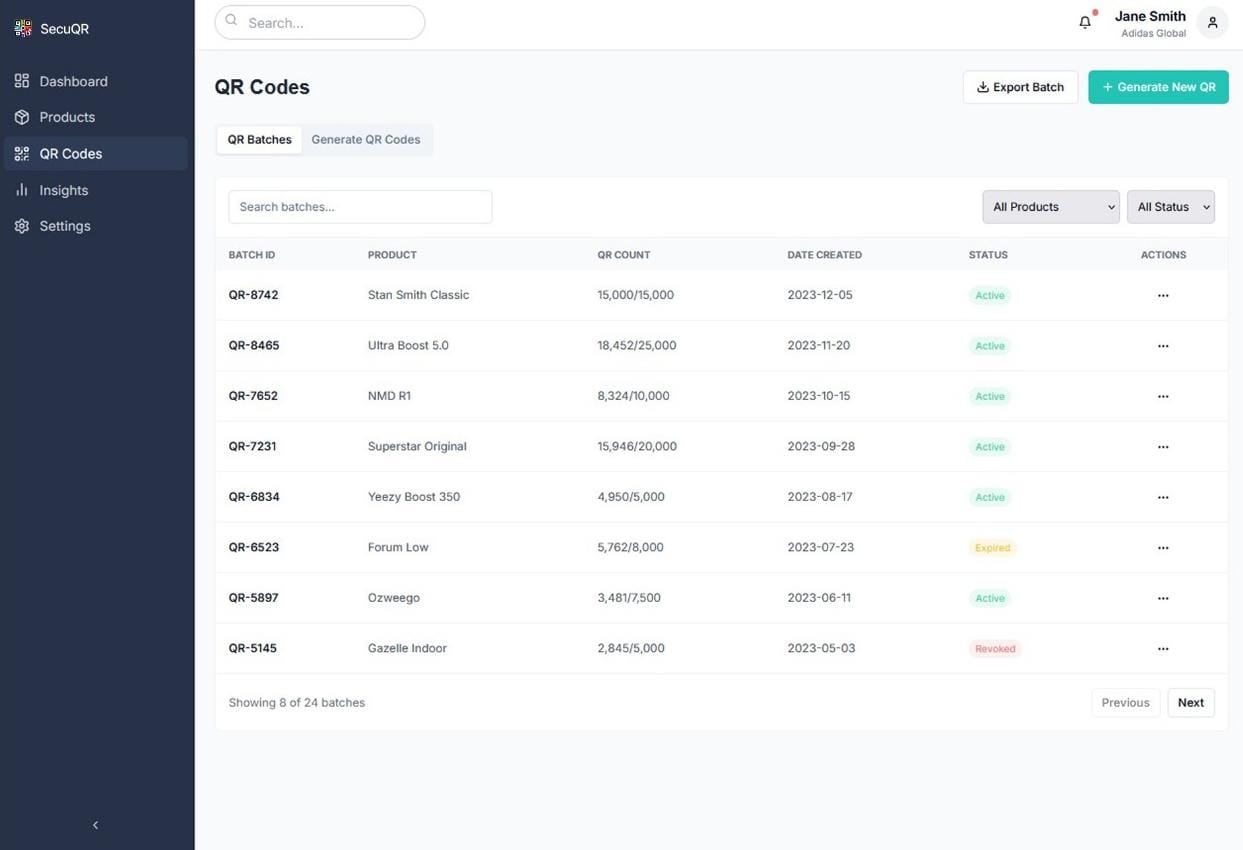
QR batch generation and status tracking
Scan analytics and counterfeit indicators
Alerts for unusual scan behavior
Design decisions
Structured tables and filters for power users
Highlighted risk levels instead of raw numbers
Designed views around actions brands need to take
Dashboard Overview
Product-Level Monitoring
QR Code Management
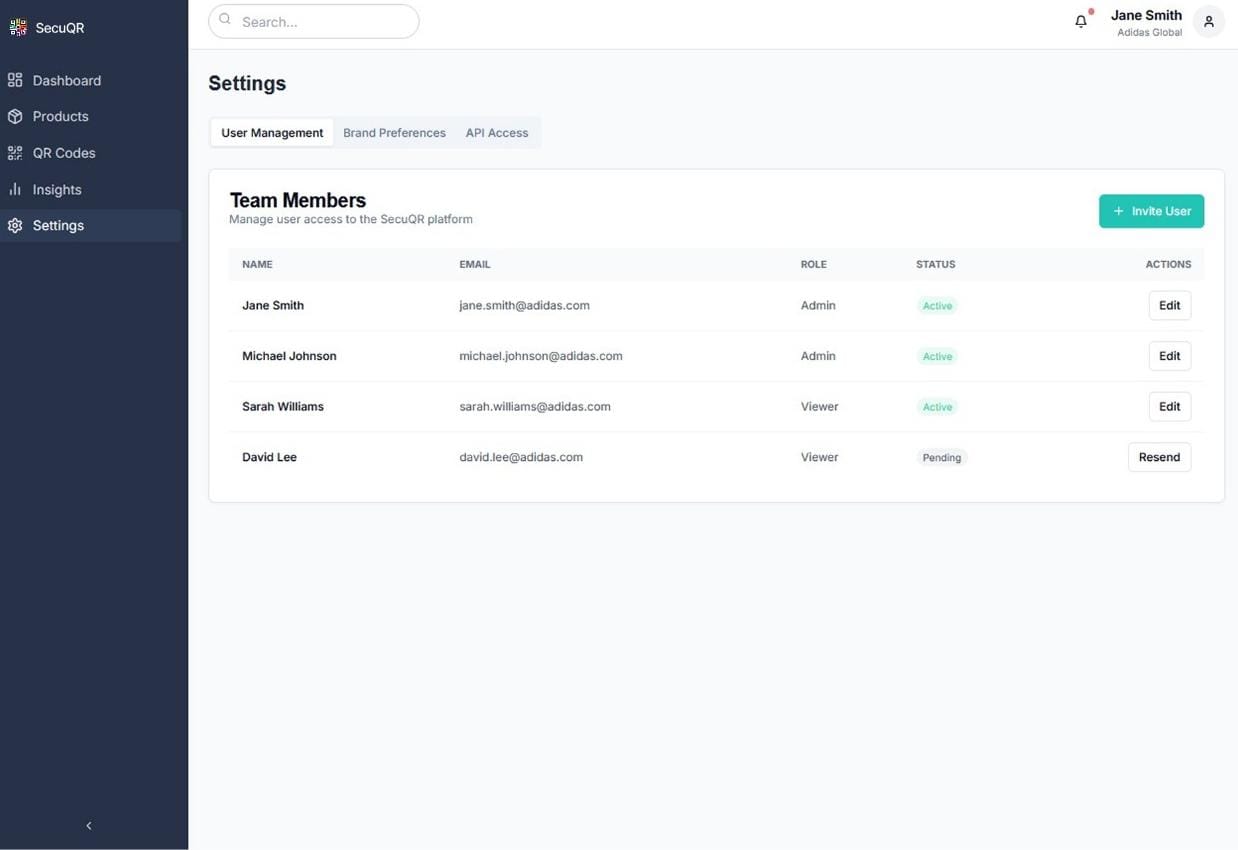
Access & Team Governance
Website Design
The product story, simplified for fast understanding.
Explaining the system clearly
The website acts as the product’s front door. Its role was not marketing breadth, but fast understanding.
Purpose
Explain what SecuQR does in under a minute
Show how the system works across app and dashboard
Support demos, partnerships, and inbound interest
Design approach
Focused on system explanation, not feature lists
Kept language aligned with the product UI
Ensured visual consistency to reinforce trust
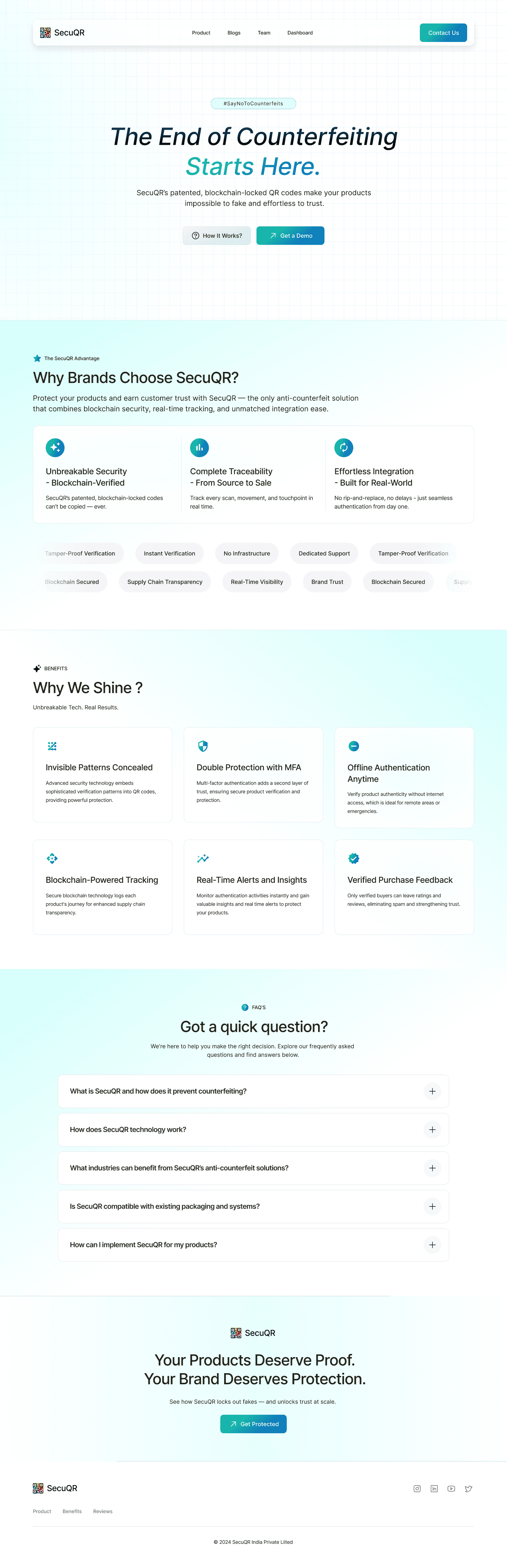
Landing Page - The Brand Story
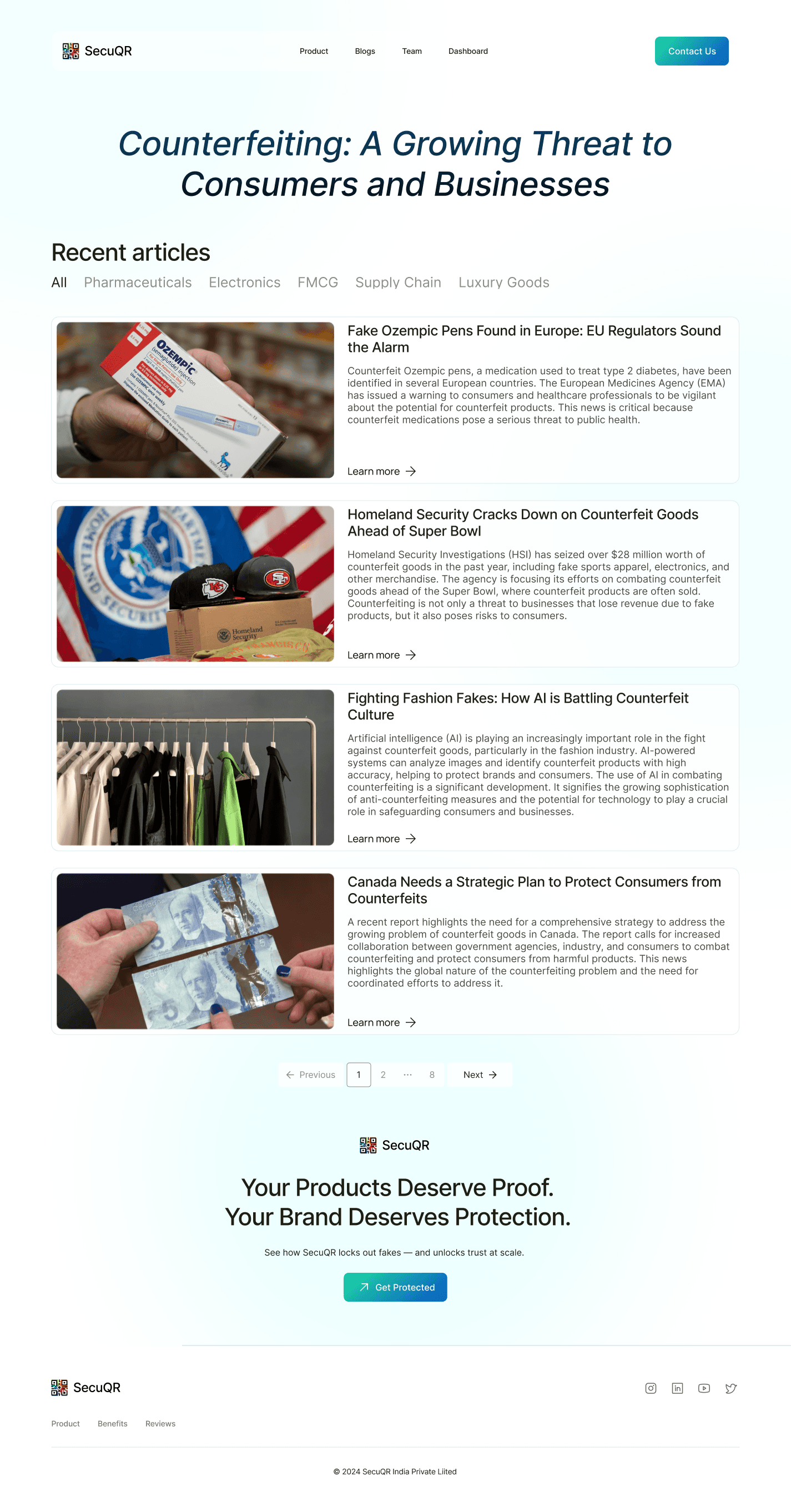
Blog Hub - Educating a Market in Crisis
The content hub frames SecuQR not just as a product, but a voice in the anti-counterfeit space. Tabs by category (Pharma, FMCG, Electronics, etc.) position it as a thought leader with market awareness.
UX Goal: Clean filters, generous spacing, and scroll comfort for in-depth readers.
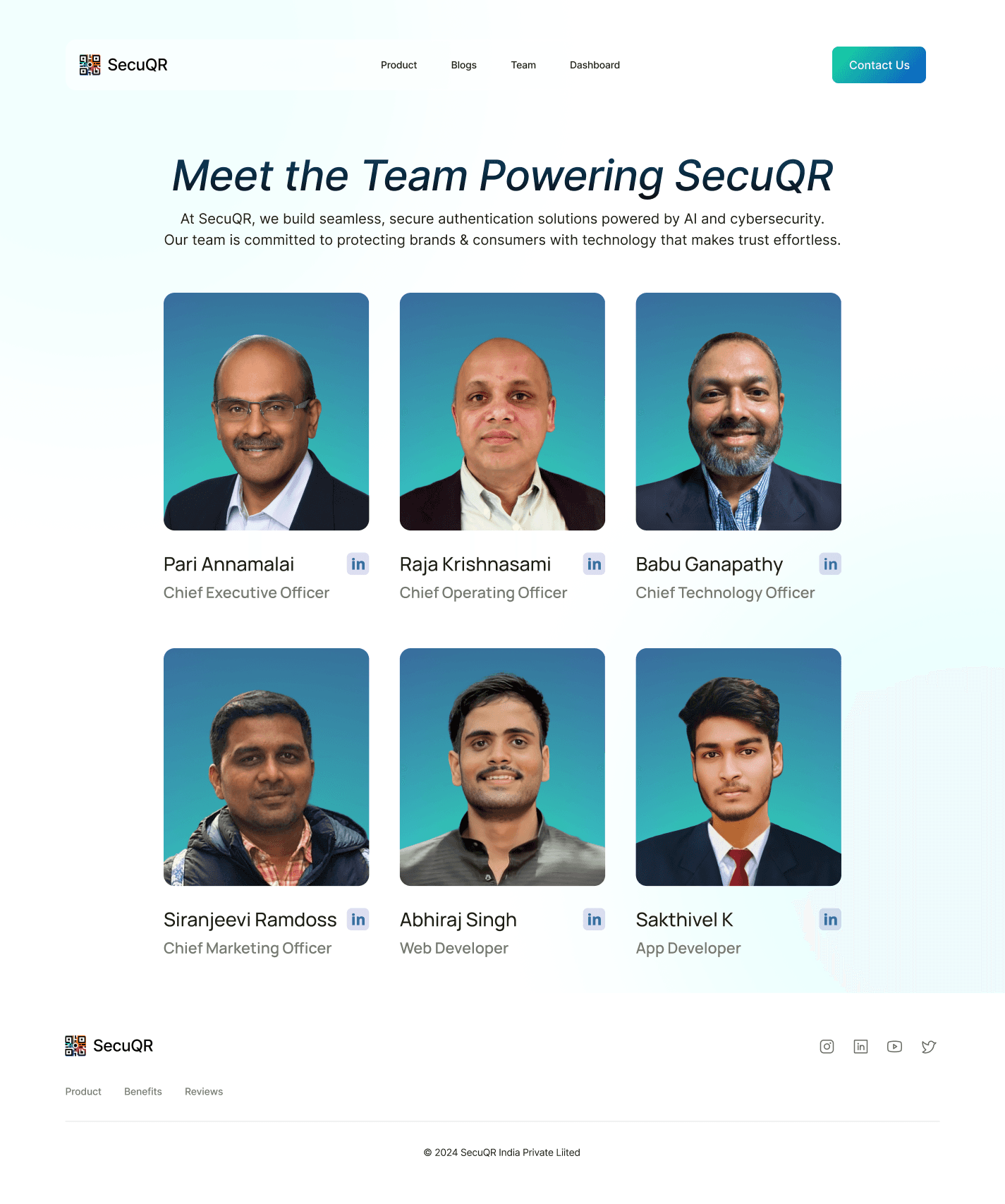
Team Page - Meet the Makers
Trust begins with transparency. The SecuQR team page introduces the leadership and development team through a clean, modern layout that emphasizes professionalism and credibility. Each profile includes clear titles and LinkedIn links, allowing visitors to connect with the minds driving the platform’s innovation.
Next Project
Get a sneak peek at what’s coming next—innovation in the making